Display Calibration Workflow for TFT Modules
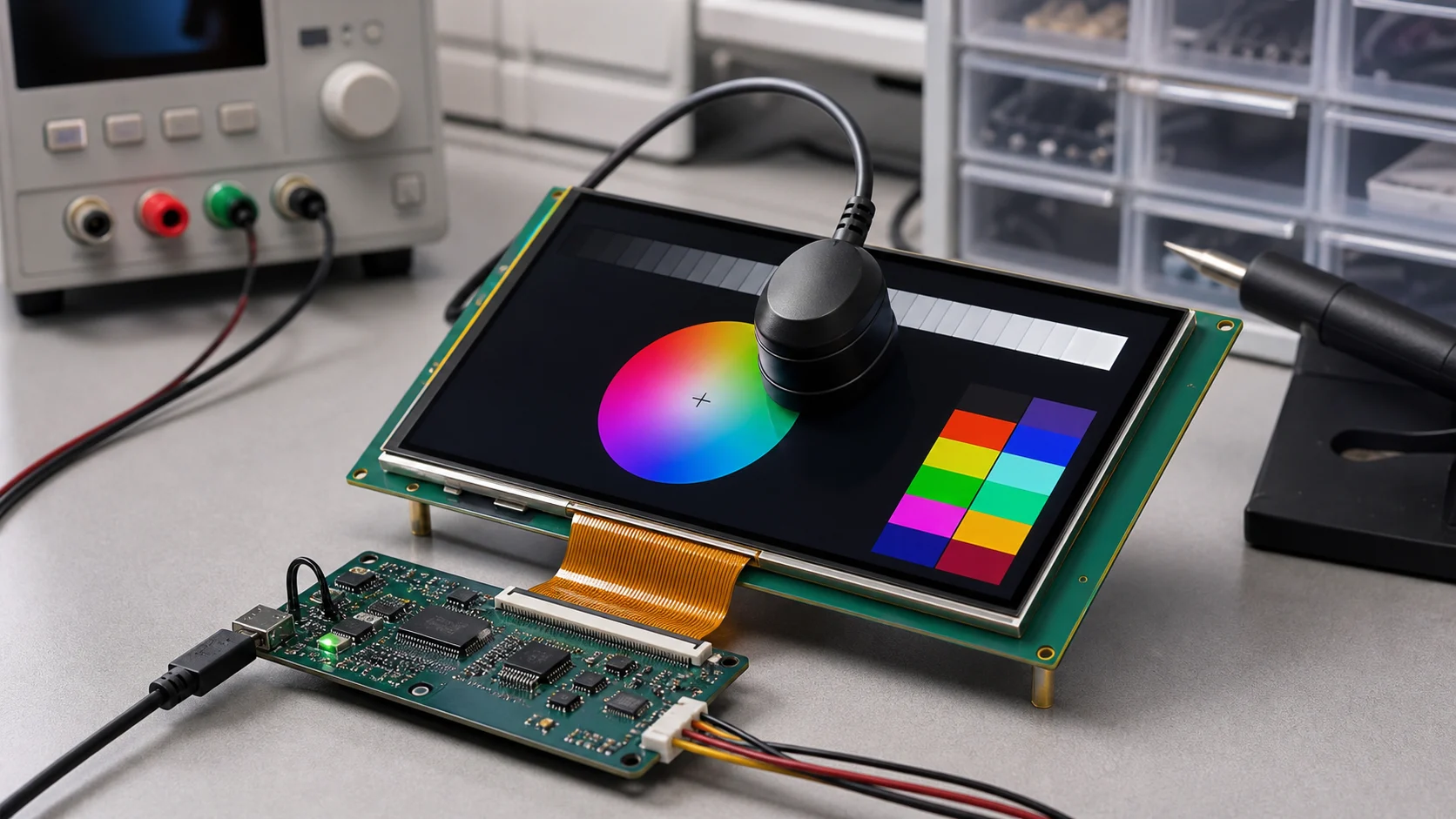
Display calibration is often discussed late, after the first batch of screens looks uneven. One unit appears slightly blue, another looks warmer, and a third is bright enough to make the others seem dull. The LCD modules may all be within supplier tolerance, but the finished products do not look consistent side by side.
For TFT modules, calibration is a practical production tool. It helps control brightness, white point, color temperature, and sometimes gamma. The goal is not to make every product behave like a professional reference monitor. The goal is to make the display experience predictable enough that users trust the product.
Calibration matters most when products are used in groups, replaced over time, compared at retail, or positioned as premium devices. It is also useful in industrial and medical-adjacent systems where visual consistency affects confidence.
What Should Be Calibrated
The simplest calibration target is brightness. A production line measures luminance on a white screen and adjusts PWM duty, LED current, or a software table until the screen reaches the target range.
Color temperature is the next common target. White LEDs vary by batch, and optical films can shift the final white point. Without control, one display may look bluish while another looks yellow. Color temperature matching reduces that visible mismatch.
Gamma and grayscale calibration are more advanced. They matter when the product shows gradients, images, charts, or medical-adjacent content. Many consumer and industrial devices do not need full gamma calibration, but they still benefit from stable brightness and white point.
Basic Calibration Workflow
A practical TFT calibration workflow can be simple:
- Warm up the display for a defined time.
- Show a standard white test screen.
- Measure center luminance with a calibrated meter.
- Adjust PWM, current, or software brightness offset.
- Measure white point or color temperature if required.
- Store the calibration value in firmware, EEPROM, or production data.
- Recheck the final display state after assembly.
The key is repeatability. The measurement distance, screen pattern, ambient light, warm-up time, and target brightness should be defined. If every operator measures differently, calibration creates noise rather than control.
Production Tolerances
No TFT production run is perfectly identical. The panel, backlight LEDs, diffuser films, polarizer, touch stack, and cover glass can all affect the final appearance. Calibration narrows variation, but it cannot fix a poorly specified optical stack.
For example, if the cover glass has inconsistent coating haze, brightness calibration will not fully correct the perceived difference. If the LED bins vary too widely, the product may need tighter supplier control before calibration can produce a stable result.
Use calibration with incoming quality control. Measure a few samples from each batch before production begins. If the batch is far outside the expected range, do not rely on software adjustment alone.
Firmware Support
Calibration is easier when the firmware is designed for it. The system should support stored brightness offsets, a safe PWM range, and possibly separate day/night brightness curves. If color temperature or gamma adjustment is required, the display controller or graphics pipeline must support the needed lookup tables.
Avoid forcing the production line to use hidden engineering menus or manual settings. Calibration values should be written in a controlled way and recorded with the product serial number when traceability matters.
Measurement Tools
For basic brightness calibration, a luminance meter may be enough. For color temperature and white point, a colorimeter or spectrometer is needed. The tool should be stable, calibrated, and appropriate for the brightness range of the product.
Ambient light control also matters. A bright factory light reflecting off the cover glass can distort measurement. Use a fixture or shield if needed, especially for glossy touch panels.
| Calibration Item | Typical Tool | Production Use |
|---|---|---|
| Brightness | Luminance meter | Common |
| Color temperature | Colorimeter | Common for premium products |
| White point coordinates | Colorimeter or spectrometer | Useful for matching |
| Gamma | Imaging or display analyzer | Advanced |
| Uniformity | Multi-point measurement | Higher-end products |
Setting Acceptance Limits
Calibration needs pass/fail limits, not only a target value. For example, a product might target 500 nits but accept 450-550 nits after adjustment. A color temperature target might allow a defined range around 6500K. These limits should be wide enough for realistic production but narrow enough that users do not see obvious variation between units.
The limits should also reflect the product class. A low-cost appliance display may tolerate broader variation than a premium control panel shown beside other units. A medical-adjacent or professional instrument may need tighter control and better traceability.
Batch Review
Production should review calibration data over time. If one batch requires much higher PWM values than previous batches, the LED bin or optical stack may have changed. If color temperature shifts suddenly, the supplier may have used a different backlight source. Calibration data can therefore become an early warning system, not just a final adjustment step.
Save a small number of golden samples when possible. Comparing new production against known-good units helps teams catch visual changes that a single number may not explain.
Practical Recommendation
Define the display target before production tooling. Decide what brightness range is acceptable, whether color temperature matters, and how values will be stored. Then validate the process with real modules from more than one batch.
For adjacent topics, review brightness calibration and color temperature matching. Together, these checks reduce the chance that a good product feels inconsistent because the screen appearance varies from unit to unit.
Frequently Asked Questions
What is display calibration for TFT modules?
Display calibration is the process of measuring and adjusting brightness, white point, color temperature, and sometimes gamma so production units look consistent and meet the product target.
Is brightness calibration enough?
Brightness calibration helps, but it may not control white point or color temperature. Products with multiple screens or premium positioning often need both luminance and color checks.
When should TFT display calibration happen?
Calibration usually happens during production test or final assembly. The target should be defined during development so the hardware and firmware can support adjustment.